Overview
MDCalc is an online medical calculator, used by over a million medical professionals per month. They want to redesign their website to have a modern, clean look and feel, and improve content usage.
Scope
Due to limited knowledge and resources, the case study didn’t conduct primary research. Instead, all the data, information, and knowledge supporting the decision-making process were based on previously conducted studies. The case study stopped after providing possible solutions without going further into evaluating or testing to get the final design. The redesign was focused on the “large” screen experience (typically 1280 pixels wide and above according to Material Design), other smaller devices were not considered.
Process
Discover
As I researched and analyzed, the information was vast and messy, so I felt like I needed to ground my research in some logic. To understand the problem, I broke it into 3 parts: the object—doctors; the medium—MDCalc; and the goal—calculation result. This allowed me to find more specific content and information related to the problem.
Every day, doctors must perform many calculations in different contexts (like diagnosis, treatment, patient care, etc.). MDCalc is an online tool that consolidates many medical calculations. It’s fast, simple, accurate, and less prone to errors compared to the traditional way of calculating manually. The main flow on the website is to perform calculations. For users to do the task successfully, I established a sense of priorities for the interface and focused on the three most important aspects, based on the seven facets of user experience by Peter Morville: findability, usability, and credibility.
Most of the time, doctors will look for a specific calculation, so offering content that is easy to find, easy to use, and credible will benefit them most, especially when time and resources are limited. By improving findability, I only explored the effectiveness of content display and did not cover other factors of findability (SEO, information architecture). With the three priorities in mind, I started to analyze the most used screens, which are: homepage, search function (this is a modal panel), and calculation page.
Analyze
On the homepage, I try to ask myself some foundational questions: When arriving at the homepage, what do users want to see and how do they want to see it. I assumed that doctors don’t have much time to click through every calculation one by one. They want to see the right calculation as quickly as possible. If the screen shows the right calculation or puts it in the place where the user can find it, the good chance is they’ll click and use it. So, to improve content findability, the number of displayed calculations should be optimized for the user to see as much information as possible without cluttering the interface.
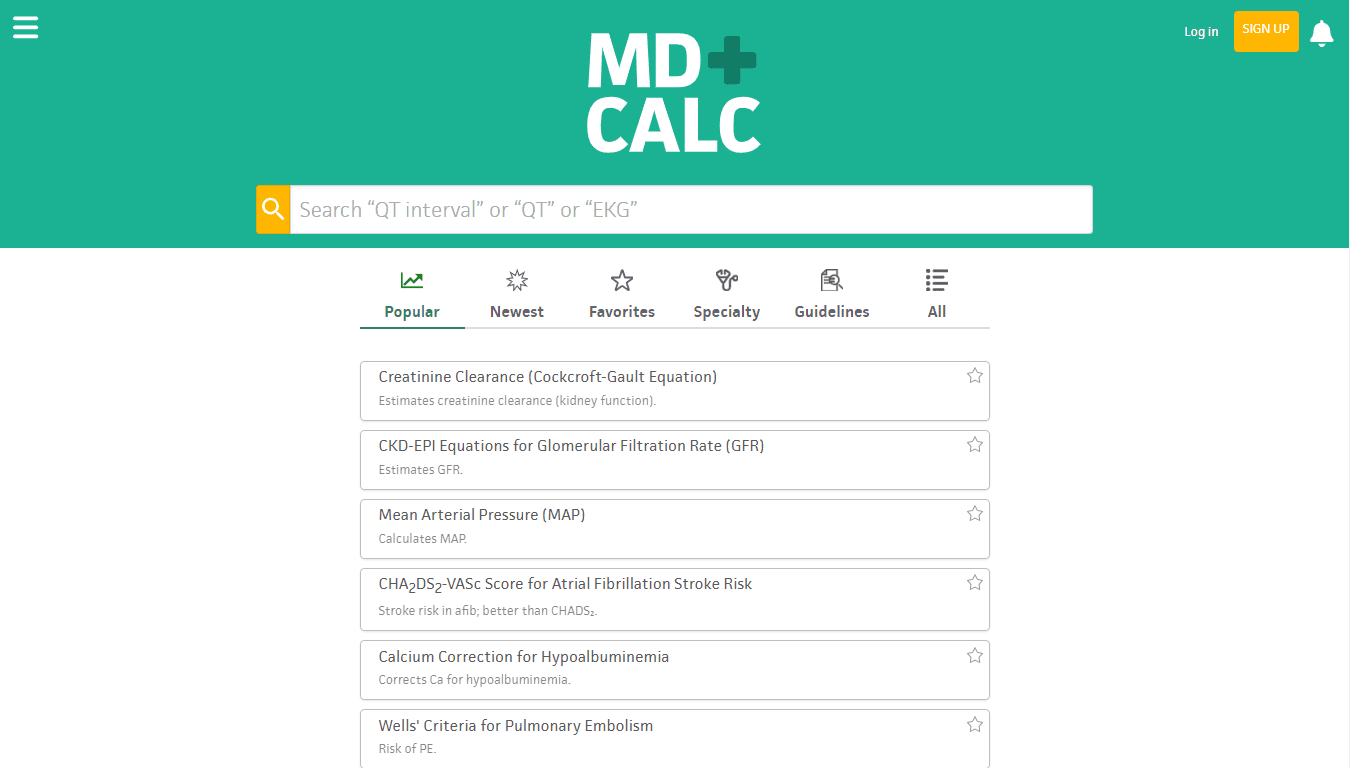
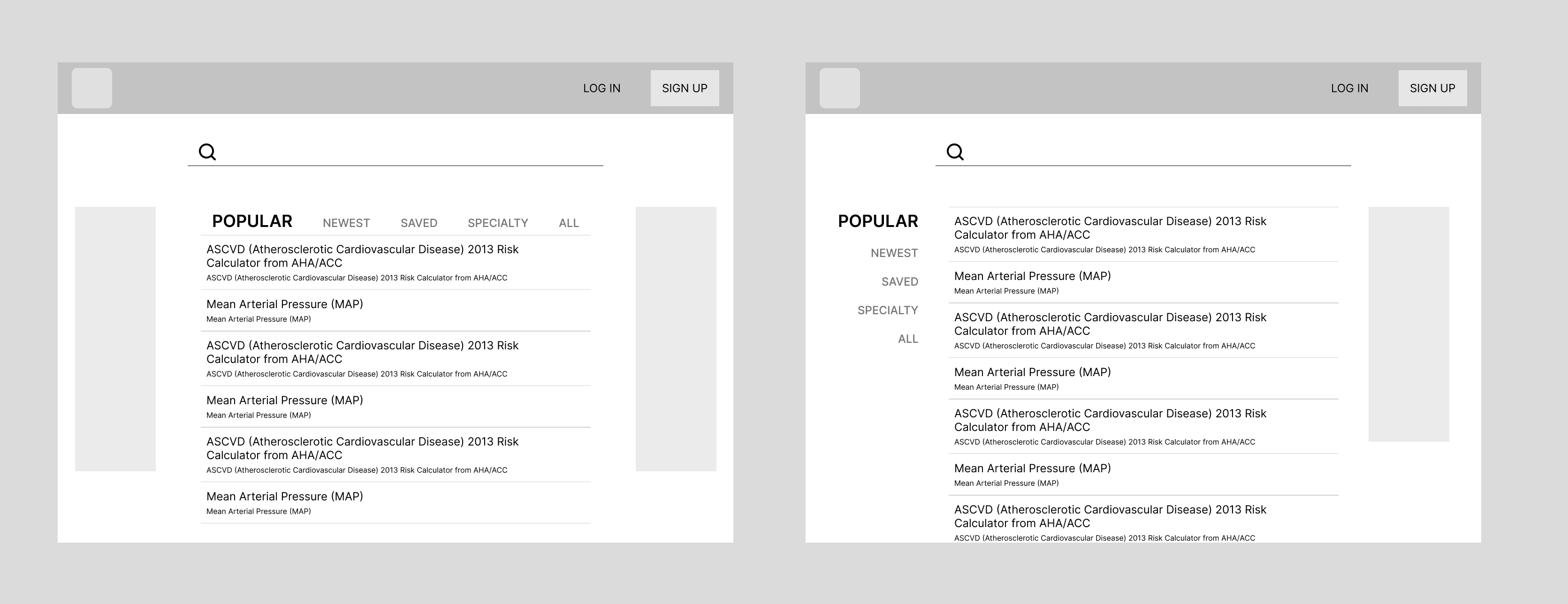
The current homepage design provides two ways to find calculations: search and browse. Although the layout is clean and simple, the space is unevenly distributed, and the browse section has little space, thus minimizing the chance of clicking on one. Categorization is a good way to help users identify which section contains the information they need. But when scrolling down, no category is shown, and users have to manually scroll to the top.
About the search function, the question is: With the vast number of calculations available, how can users search for the right one without wasting time and effort scrolling through the infinite list?
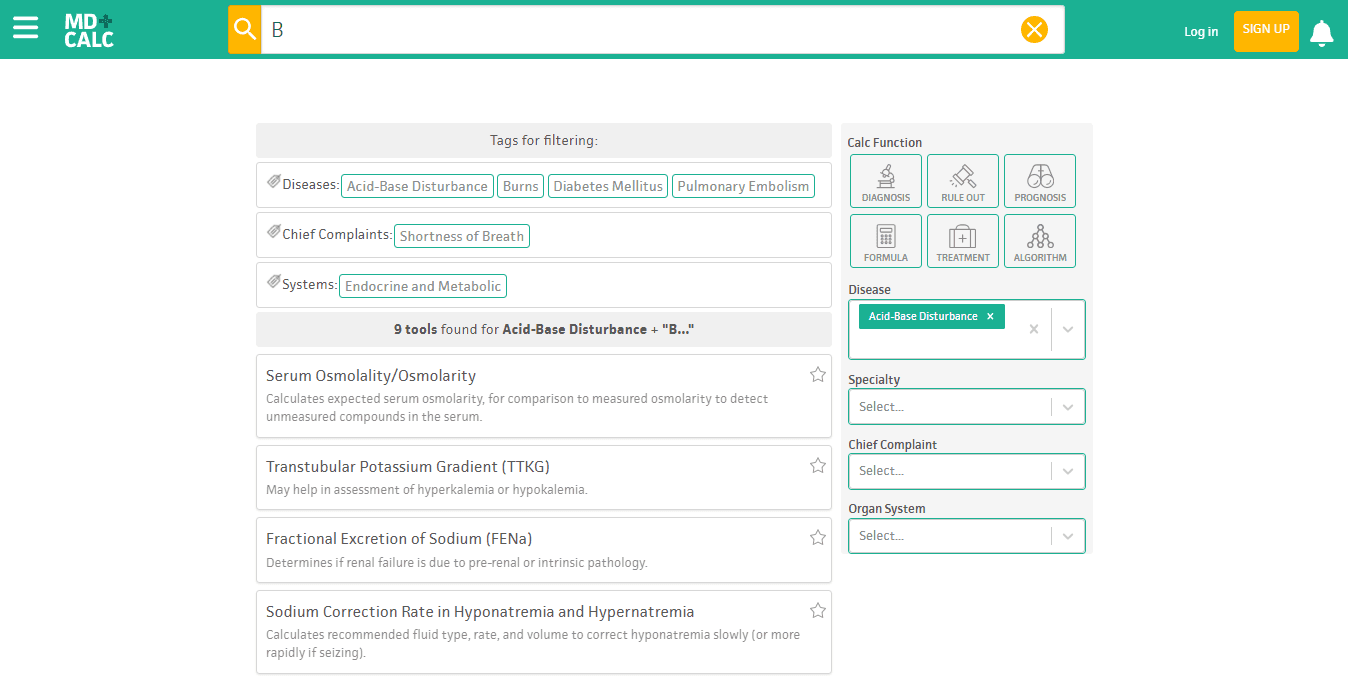
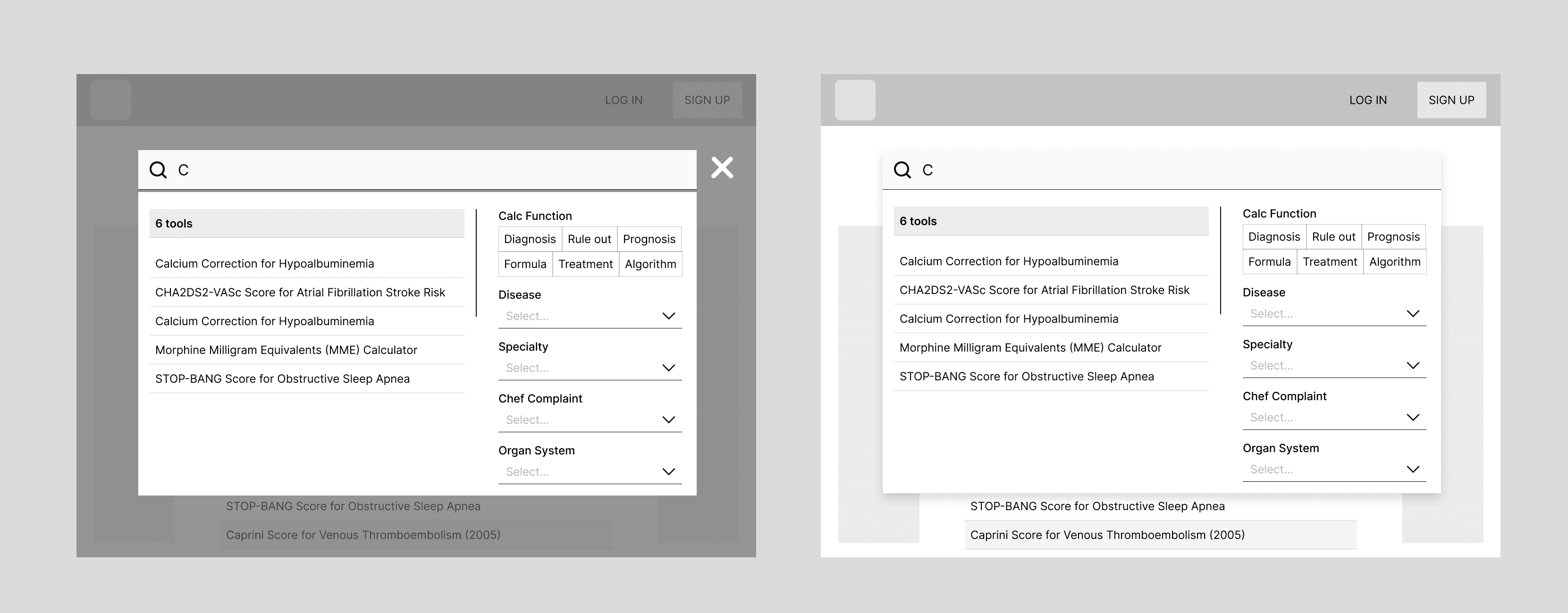
The current design uses an advanced filter, and instant search results help users easily refine and categorize their options. The search function is a modal panel, but the whitespace spreads to the entire screen, causing users to feel like they’re on a new page and think they need to go back to the homepage, which they don’t. When scrolling down, the filter goes out of view, making it hard to make selections.
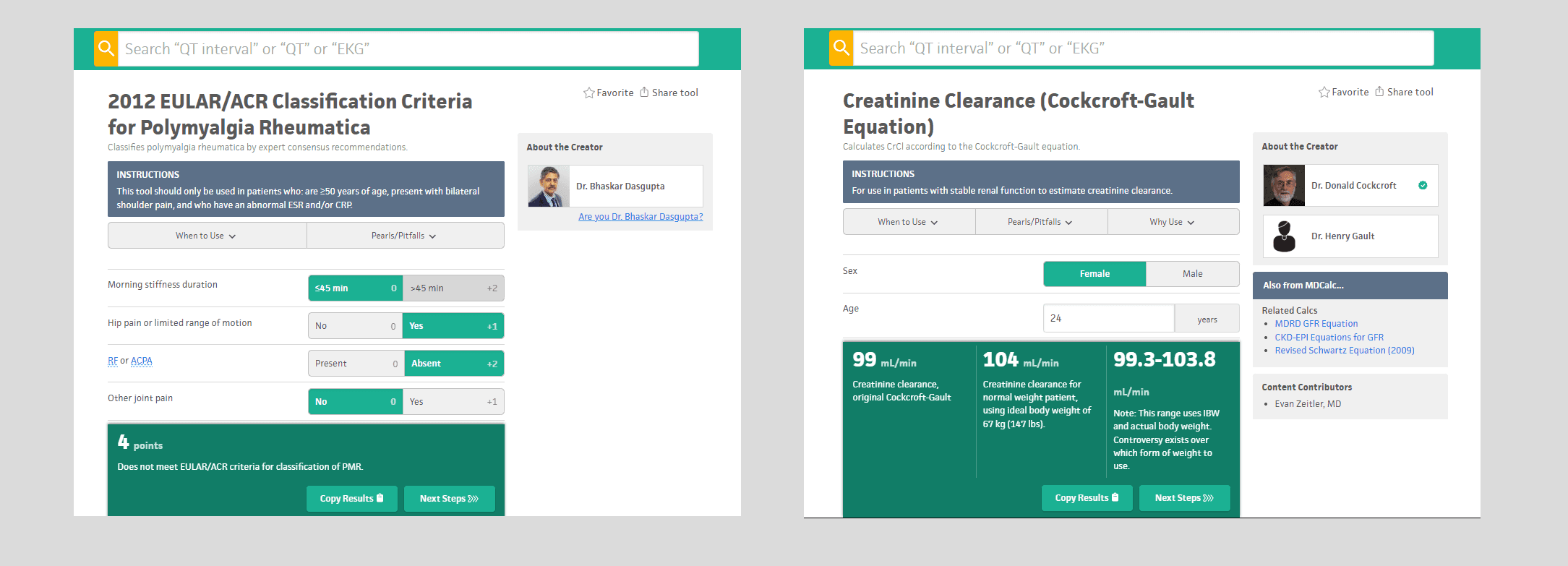
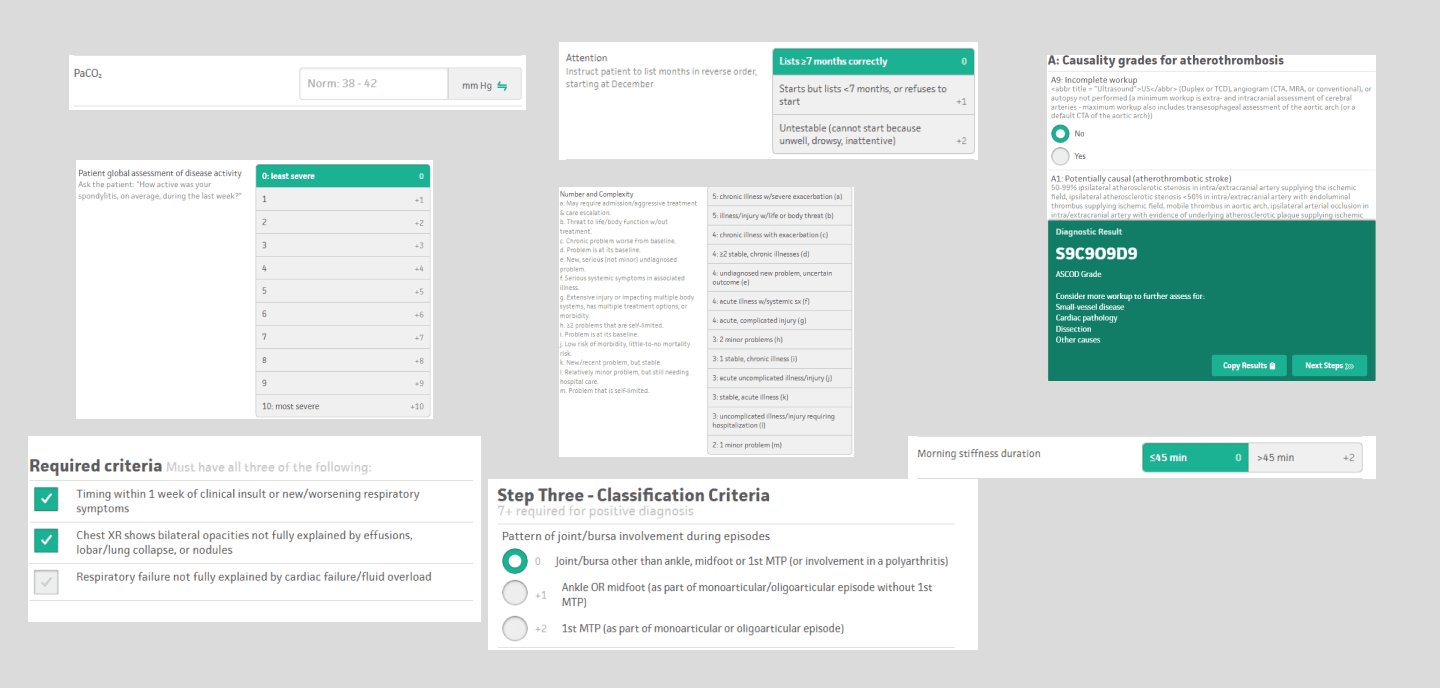
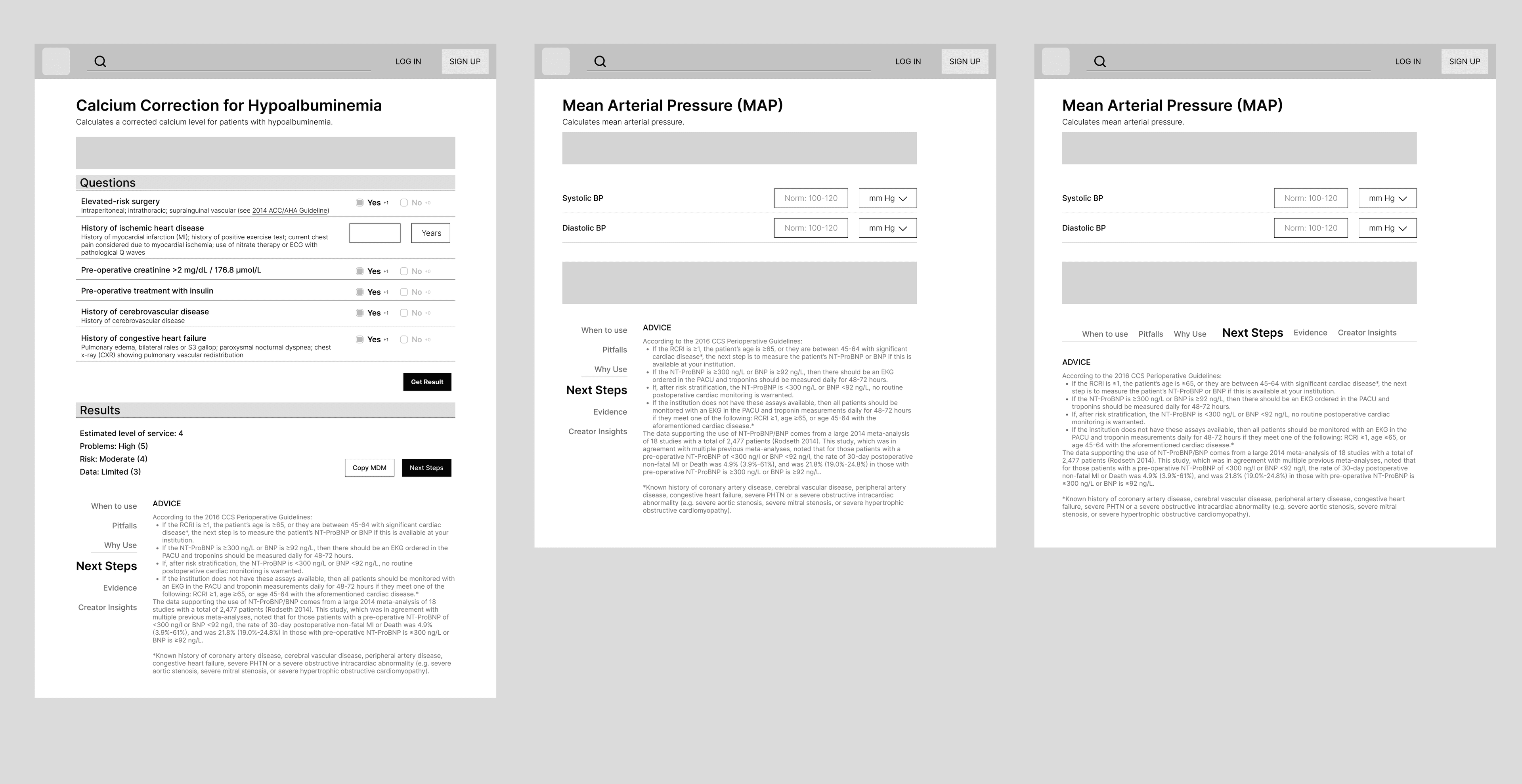
On the calculation page, the goal is to help users get their patient’s calculation results efficiently. The current design has a clear structure and label, instant result sticks at the bottom of the page, simple form field. However the space is unevenly distributed and “not always” clear or simple, as for long results, it takes up too much space.
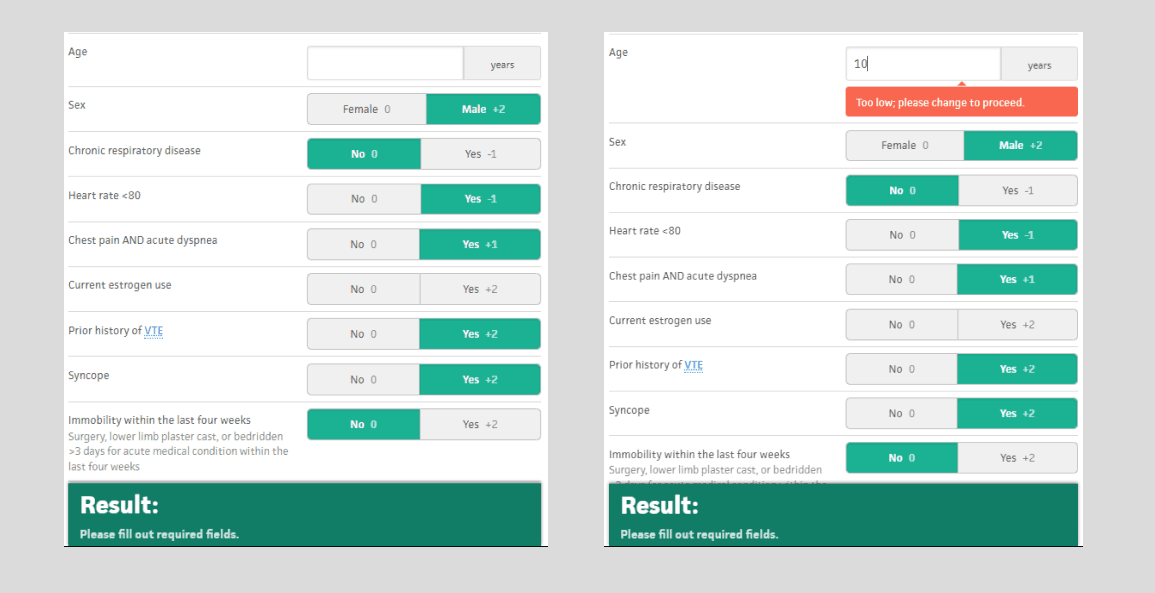
Instant calculation result is quick and convenient. But for complex calculations, users need to input a lot of data, and sometimes they may miss a data field. When users think they have finished entering the data, the results do not appear, and the system does not indicate which field is missing. Users then have to go back and check each data field again. Notifications or warnings only appear when users have entered data that is too high, too low, or invalid.
A variety of form lengths with limited displayed space make the interface look messy and inconsistent.
For credibility checking, I use the credibility guidelines from Stanford University as a standard. The design is doing great at providing users with references, citations, authoritative sources, and contact information.
Suggested solutions
After analyzing, I had good knowledge of the good and the bad in the flow of performing calculations. Then I started to think of some design solutions.
On the homepage, I remind myself of the main goal: optimizing the number of displayed calculations. I redistributed, creating more space to browse, but still leaving enough for the search section. I think of two ways to read browse content. One way is to read from top to bottom, with the head category horizontally organized. The other way is to read from left to right, then top to bottom, with the head category vertically organized. The first one is faster to read content but takes a certain amount of vertical space and can be cluttered when there are 2 ad banners beside it or unbalanced when just one banner is needed (which is normally at MDCalc). The latter one is slower to read, but the space is balanced with or without the ad banner. When scrolling down, I keep the top bar fixed and the head category too. A back-to-top button is provided for a long set of calculations.
The foundation of the search function is to show calculation results that are most relevant to users. The advanced filter is good at filtering information. But I think it must look more like a modal panel, to avoid confusion in any case.
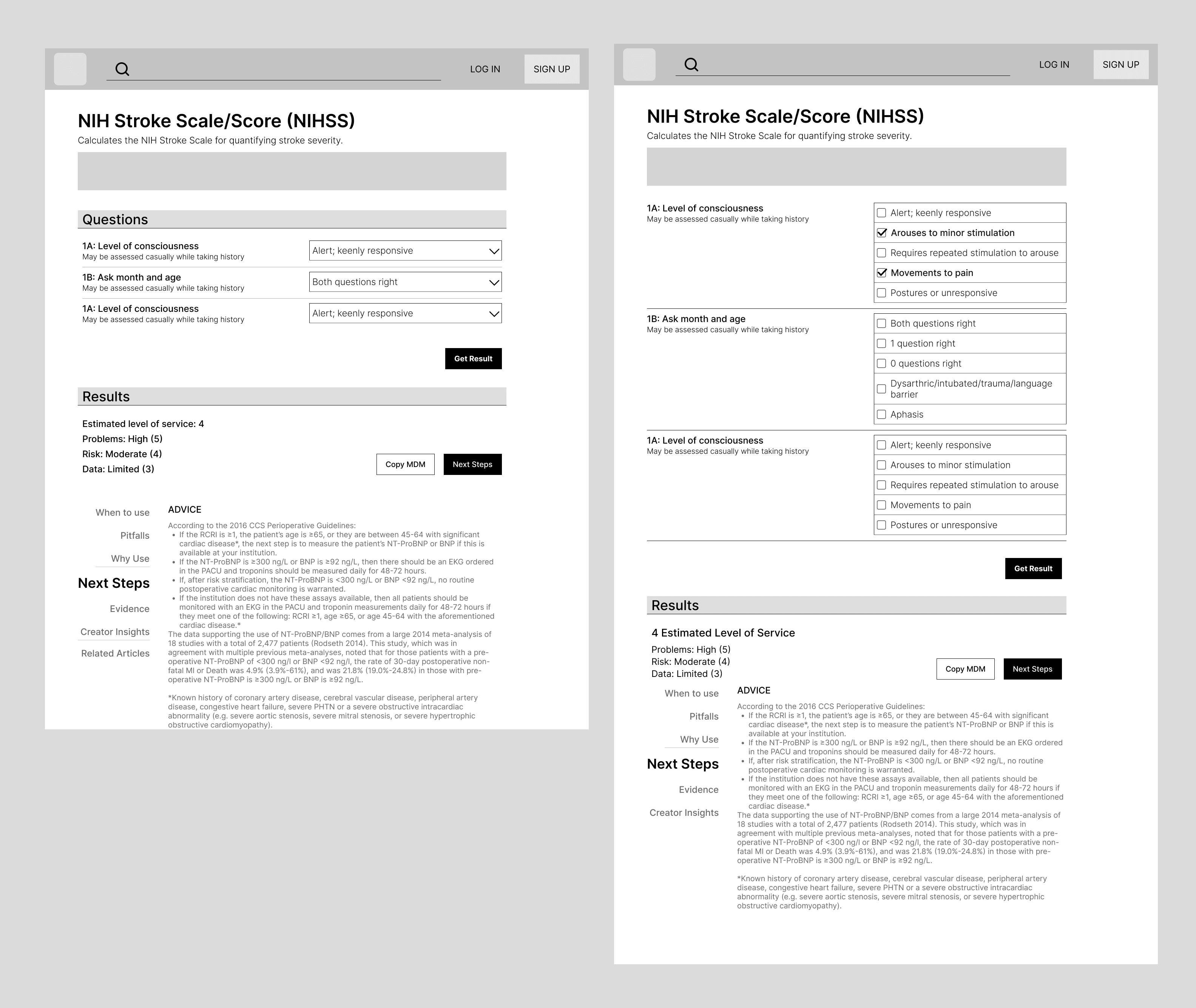
On the calculation page, the foundational goal is to help users perform calculations easily; others are secondary. Overall, I moved optional information downward and let users focus on the calculation at first. It has two ways to read: vertically scan for sections and horizontally read for data details. With the variety of form lengths, I decided the results would no longer be fixed but instead appear below the question set, depending on the length of each calculation.
With some issues regarding instant calculation results, I can add a button at the end of the question set along with warning messages to let users make their own decisions. Or I can use visual cues to differentiate the filled-in data. But the latter comes with some drawbacks, as some people have trouble with subtle elements or some just don’t mind it.
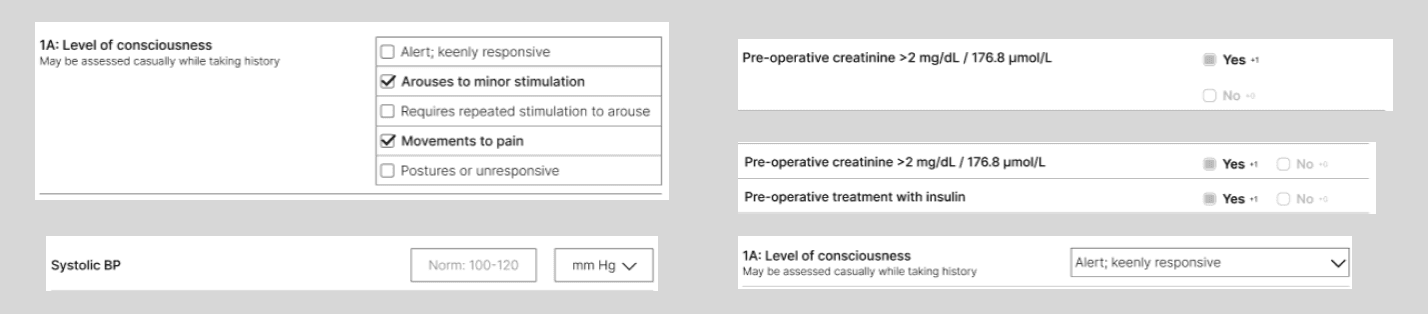
With the various types of question data, my goal is to achieve a simple, clean, and consistent look throughout all calculations. As I analyze, the questions have both long and short descriptions; the answers are in the form of: multiple choice single answer questions (MCSAQ), multiple choice multiple answer questions (MCMAQ), and number field. After playing with some sketches, my final solution is: use checkboxes for MCMAQ, radio selection for yes/no or 2 choice 1 answer questions, dropdown selection for MCSAQ, and field length as an affordance.
Reflections
I recognized the importance of user data in the design process. Having accurate data helps me understand user behavior and habits more clearly, allowing me to develop more precise and practical solutions.
Having a specific framework established beforehand would reduce the time spent on random searching without much effectiveness. When I first started, I didn’t know what to look for, so I hurriedly searched for some broad information and dived right into reviewing the interface subjectively without consulting enough sources. Upon iterations, the questions regarding searching for information became clearer, more detailed, and more specific.
Throughout each phase, I always aimed for a specific goal or some foundation to follow. This helped me stay on track and ensured the information I created was more logical and intuitive.